AUTODESK
Intelligent
Activity Log Analyzer
ROLE
UX Designer
Vibe Coder
SKILLS
Prototyping
AI Integrated Design
TEAM
Rishi Ashar (Me)
TIMELINE
2 Weeks ( August 2025)
Design & Prototype
TOOLS

CURSOR

FIGMA

FIGMA MAKE
CONTEXT
What is Autodesk Account?
Autodesk Account is where organizations control everything related to Autodesk software like users, teams, admin roles, licenses, product access, billing, and activity. It is used by IT administrators and program managers who manage access for hundreds of engineers, architects, designers, consultants, and contractors across projects. Admins use it to: • Assign and revoke licenses • Manage who has access to what • Control who can make changes • Track activity across teams
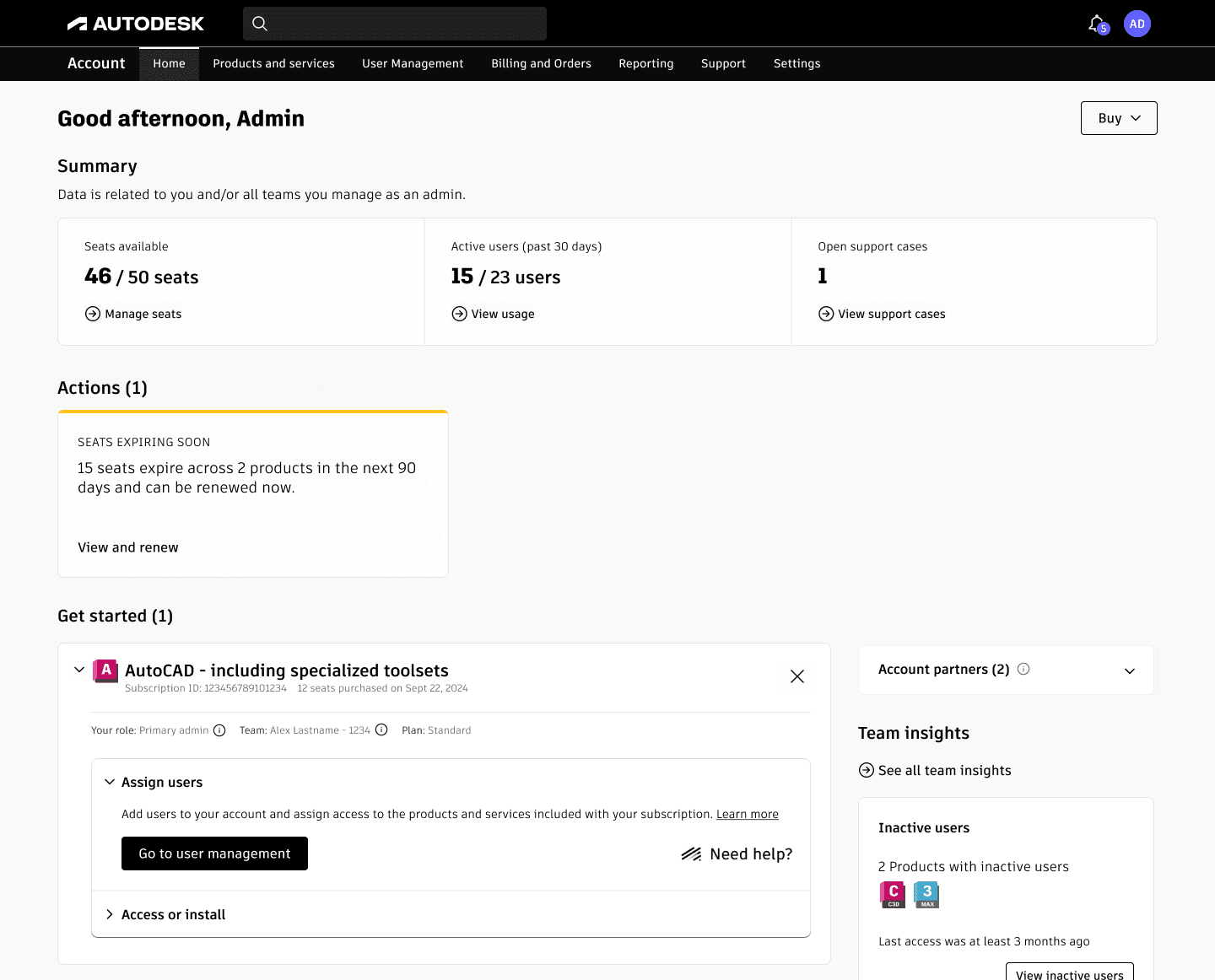
Autodesk Accounts used by admins
THE PROBLEM
What Admins see today
The Activity Log records every action, but it was never designed to help admins interpret behavior.
What is Activity Log?
The Activity Log is the place where every action inside Autodesk Account is recorded. It tracks events like user additions and removals, license assignments, project creation, admin role changes, and access updates.
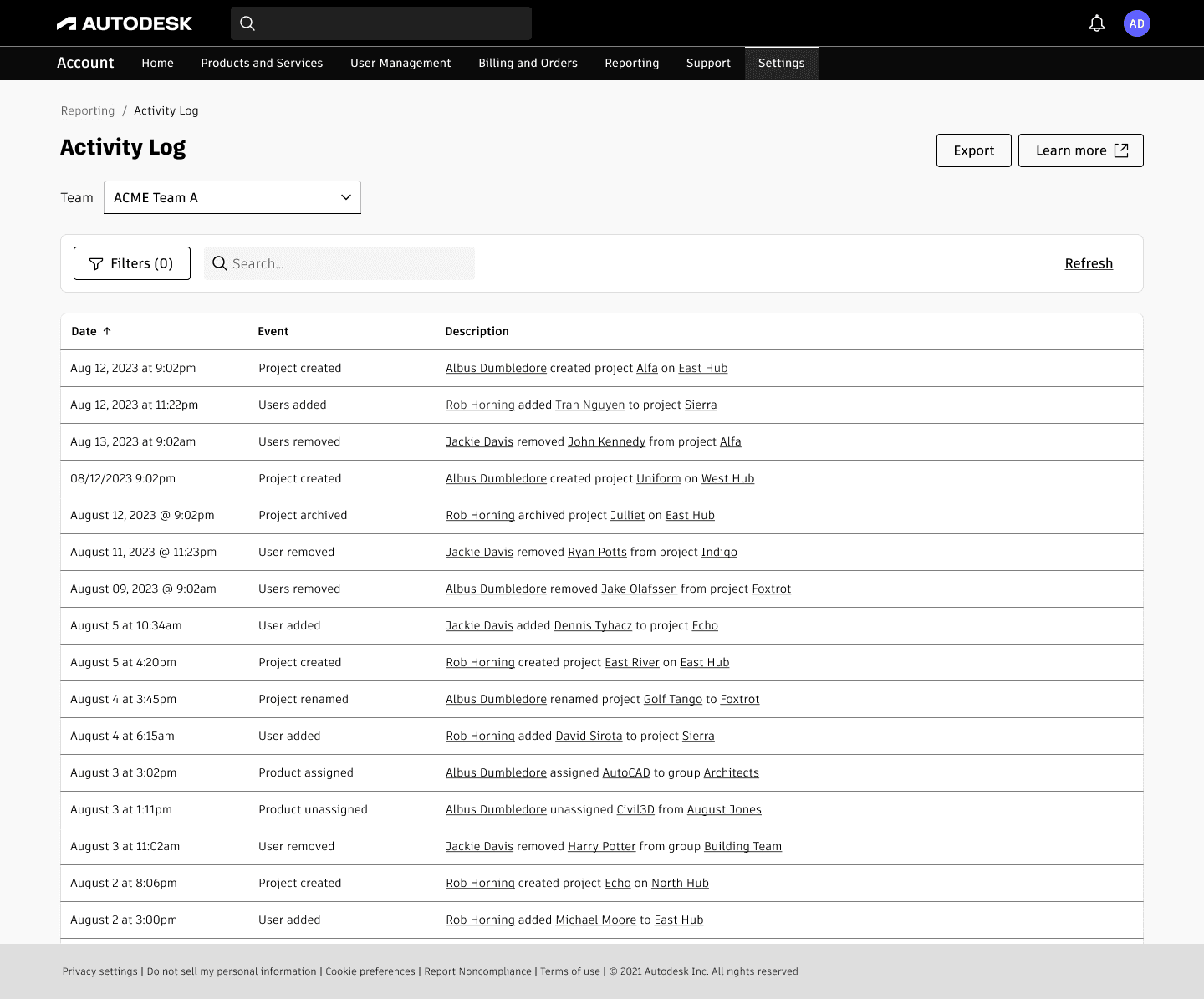
Activity Log in Autodesk Accounts
Admins face these core problems
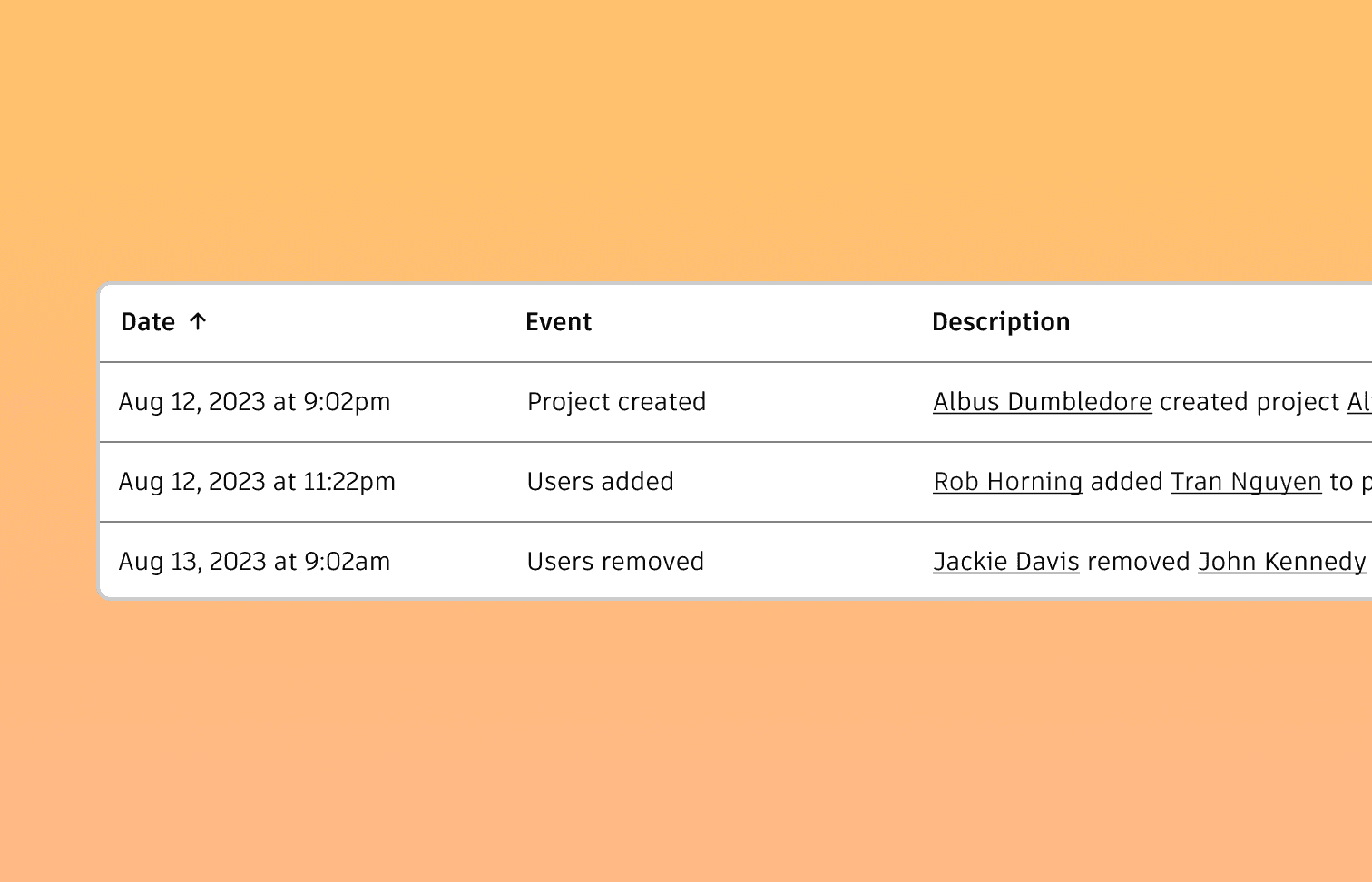
Buried In Data
Thousands of rows of events with no story or summary.
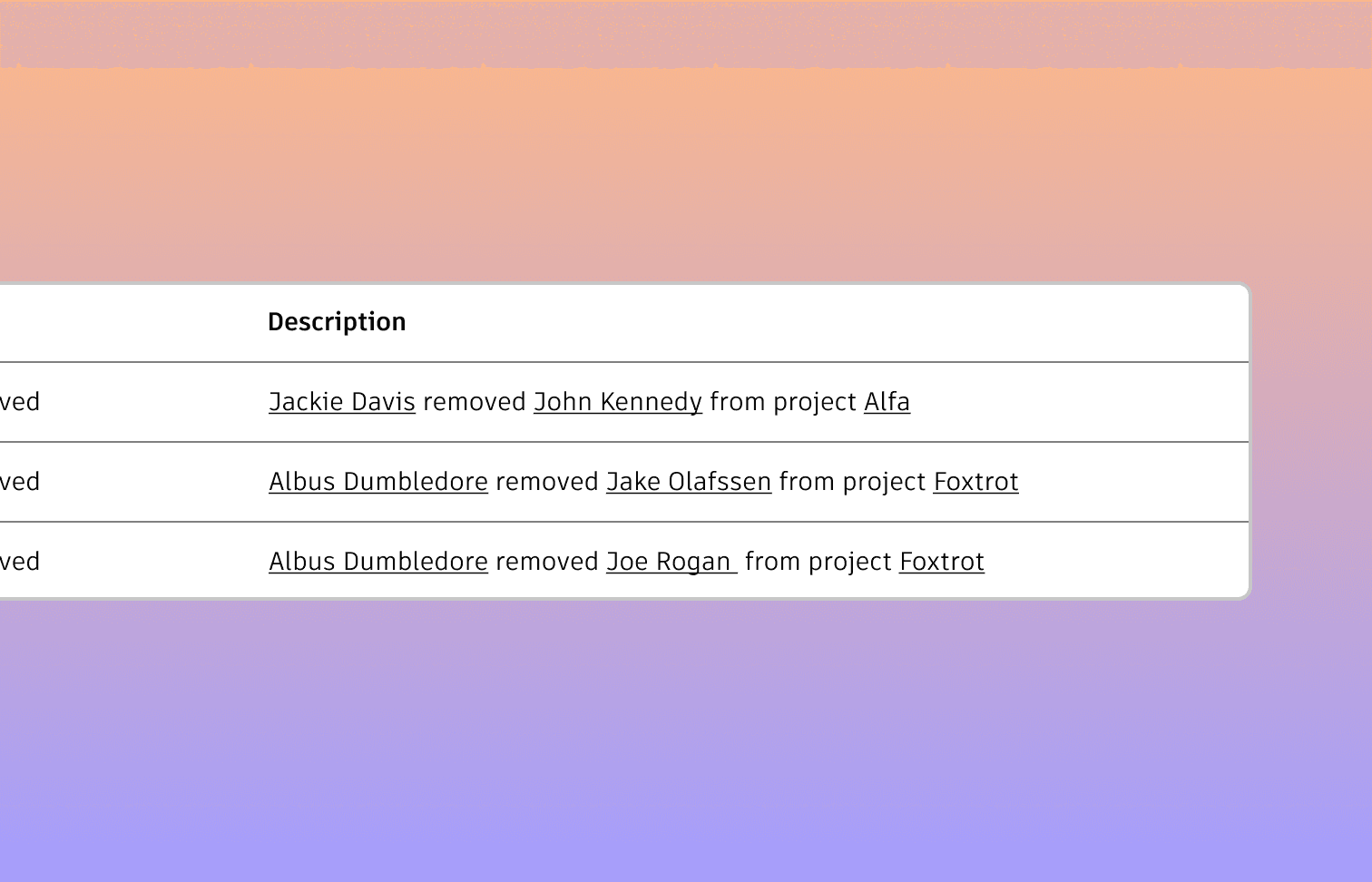
No Early Warning
Risky behavior like sudden license revocations, admin role changes, or self-assignments can go unnoticed.
KEY INSIGHTS
The biggest friction isn’t action. It’s awareness.
Admins can make changes easily, but they struggle to understand what actually happened after something goes wrong, who caused it, and whether it was a normal action or a risky one.
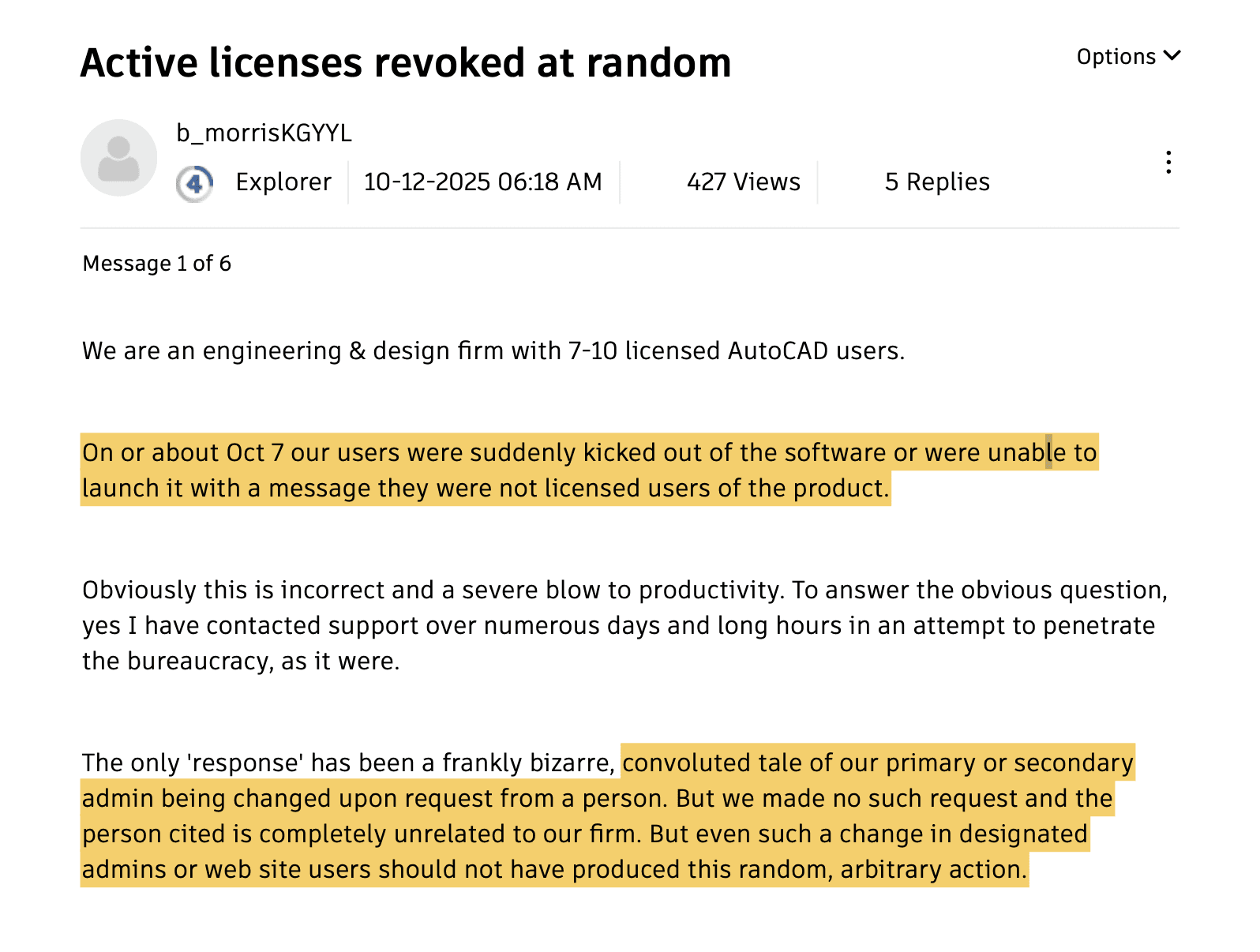
When things break, admins find out too late
Admins only realize something is wrong after real work is already blocked. By the time they reach the Activity Log or support forums, users are locked out and productivity is already damaged. The system doesn’t help prevent problems, it only records them after they happen.
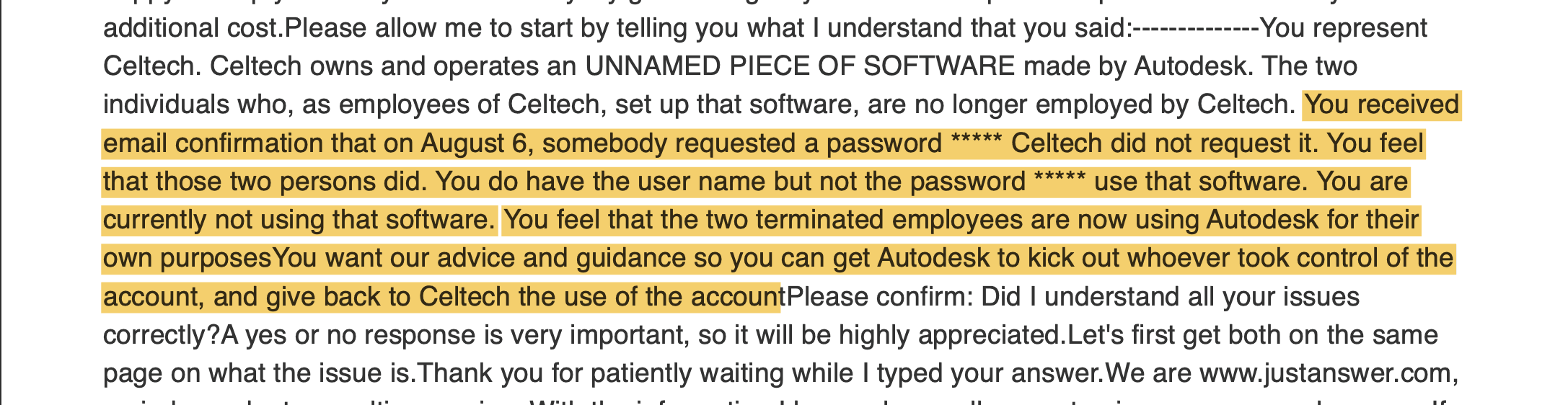
No clear accountability for critical actions
There is no clear way to understand who changed what and why. Admins are left guessing whether an action was intentional, accidental, or malicious because the Activity Log shows events without context or accountability.
SOLUTION
Turning the Admin Homepage into an Early Warning System
An AI-powered layer that transforms raw activity logs into structured, human-readable insights and proactive alerts.
The Solution works in two layers
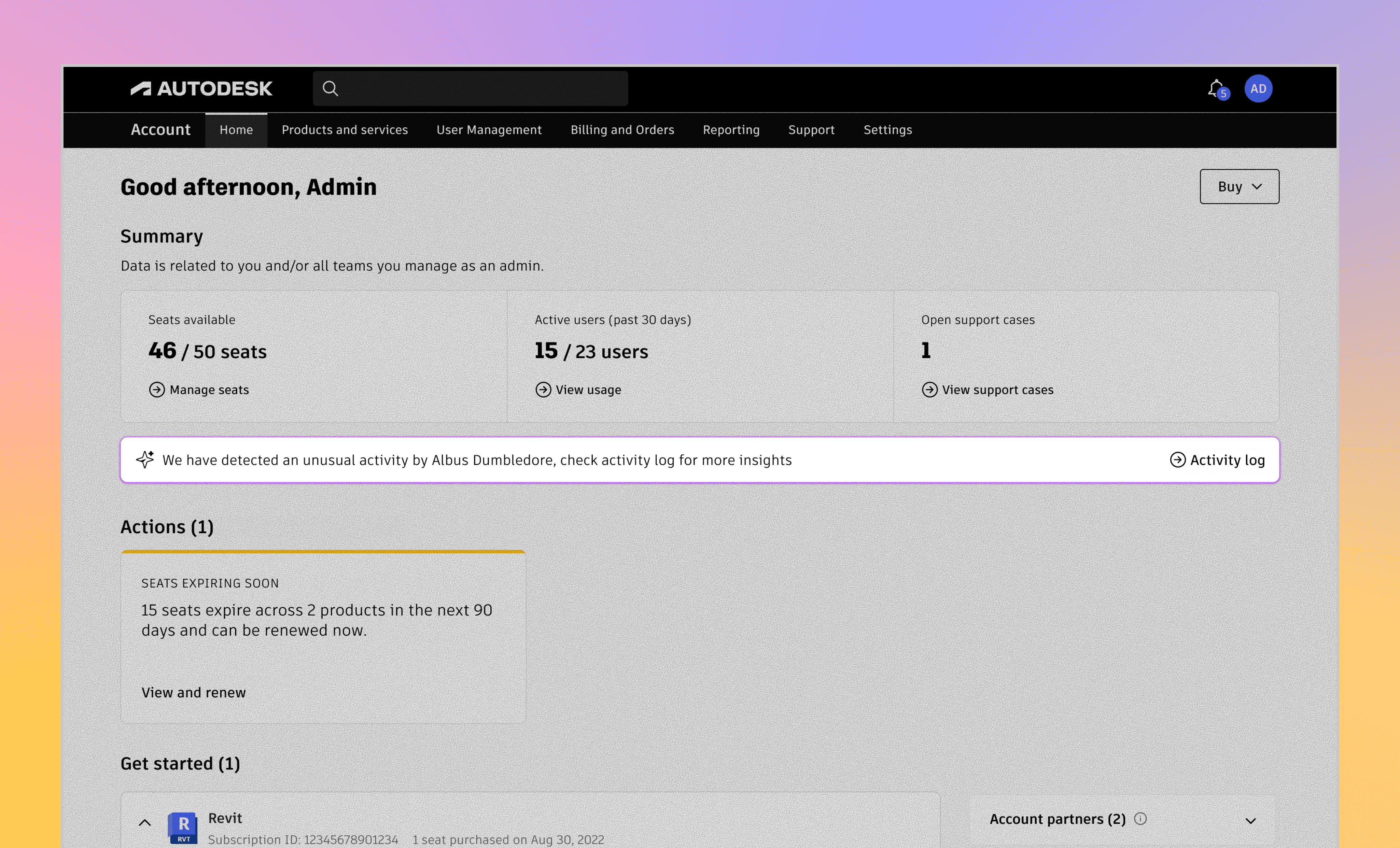
The Early Signal (Awareness Layer)
A small, focused message that tells admins something important has changed and their attention may be needed. It appears on the homepage, where decisions already happen, instead of hiding inside reports.
Actionable Insights ( Where Decisions Happen )
This is where the Activity Log stops being a record and starts being a guide. The system no longer just shows what happened. It explains what it means.
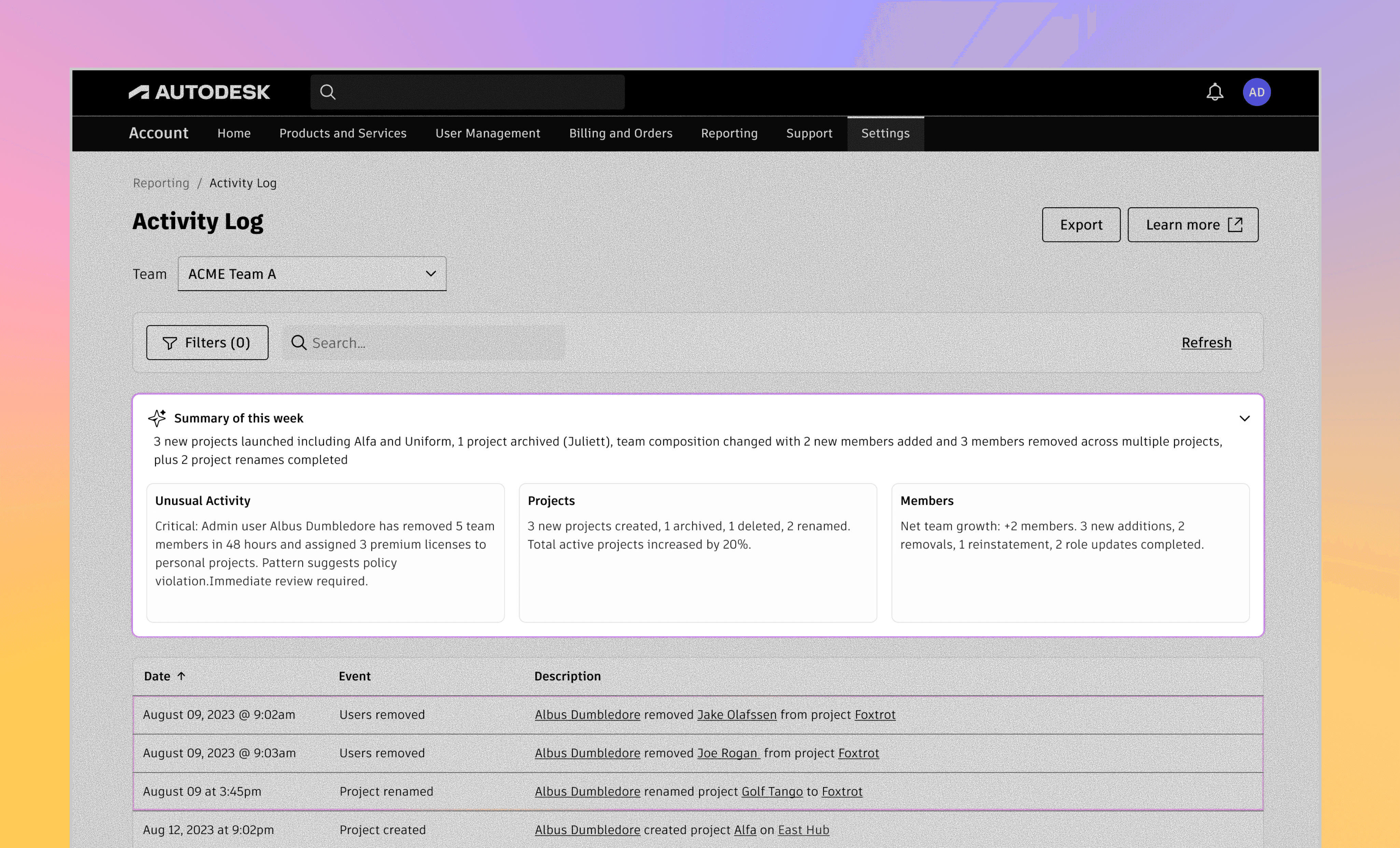
These insight cards aren’t fixed. What shows up here depends entirely on what’s happening inside the account. Some weeks, there’s no unusual behavior at all. The page stays quiet and focuses on structural changes like projects or member updates. Other weeks, patterns emerge that deserve attention, and those insights naturally move to the top.
Okay… but how does the system decide what deserves attention?
In the existing experience, these patterns were buried inside the activity log as individual rows. Admins could technically find them, but only if they already knew what they were looking for. Most of the time, they discovered something was wrong only after someone couldn’t log in or a project came to a halt.
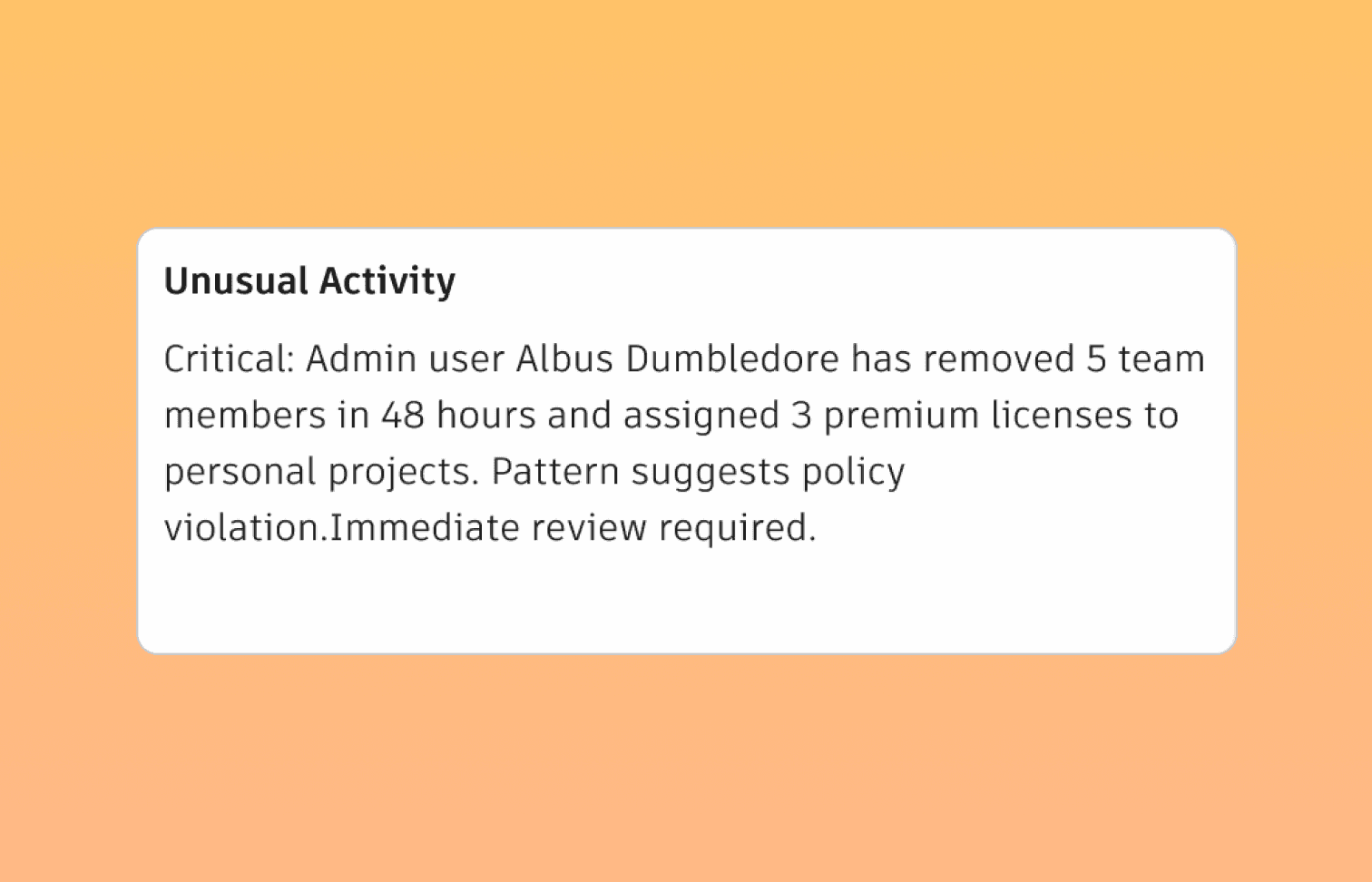
Unusual Activity brings those patterns to the surface.
For eg, when an admin repetadely removes people's access to a pirticular softwares or self assign themselves a role. These activities are actually alarming, so these activties will be flagged as unusual and shown.
Design Decisions
Clicking revealed more information, but not understanding
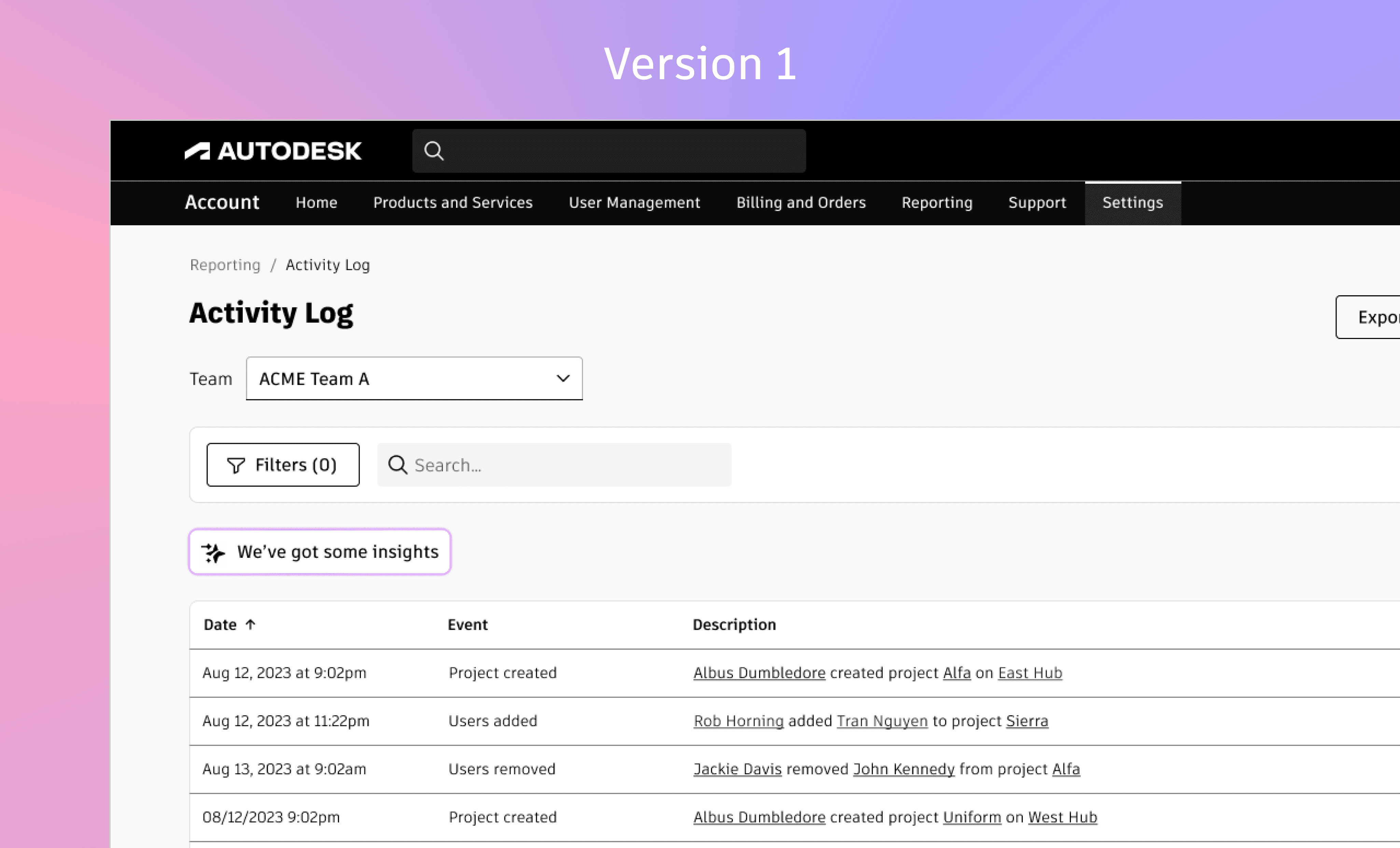
In reality, that’s not how problems show up.
Admins don’t open logs proactively. They open them after something breaks .When users lose access, licenses disappear, or projects stop working. By then, the question isn’t “what happened this week?” It’s “what just went wrong?”
That gap made the limitation clear.
Surfacing a better summary inside the Activity Log was useful, but it still relied on admins to notice problems on their own.
That’s where the idea shifted.
Instead of waiting for admins to come to the log, the system needed to speak up first — directly on the homepage, where decisions already happen.
Reducing Text and increasing structure
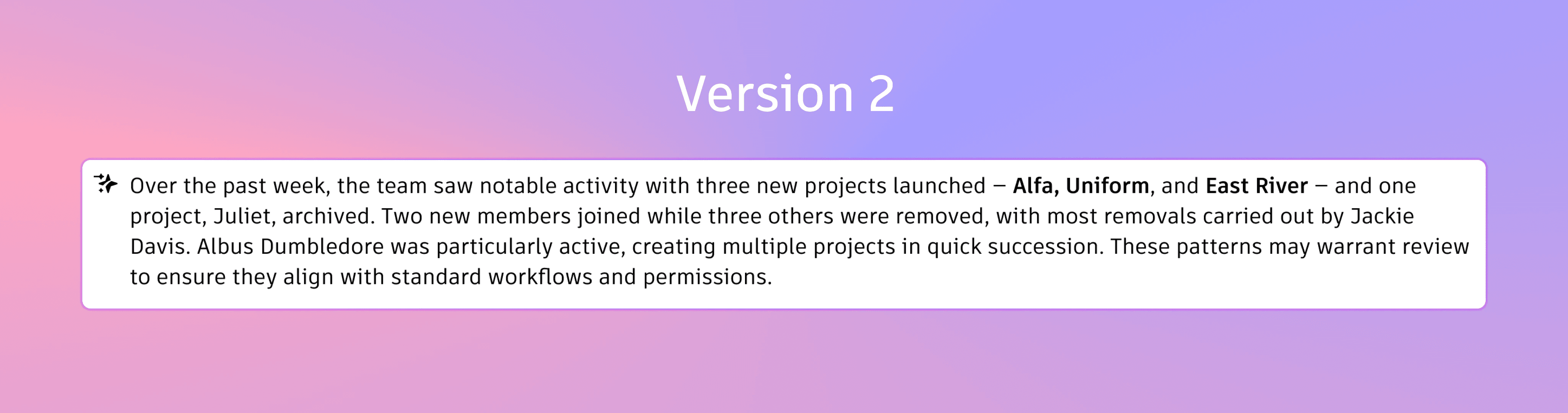
The first version of the Activity Log tried to answer every question at once. All the information was technically correct, but it came through as a dense block of text.
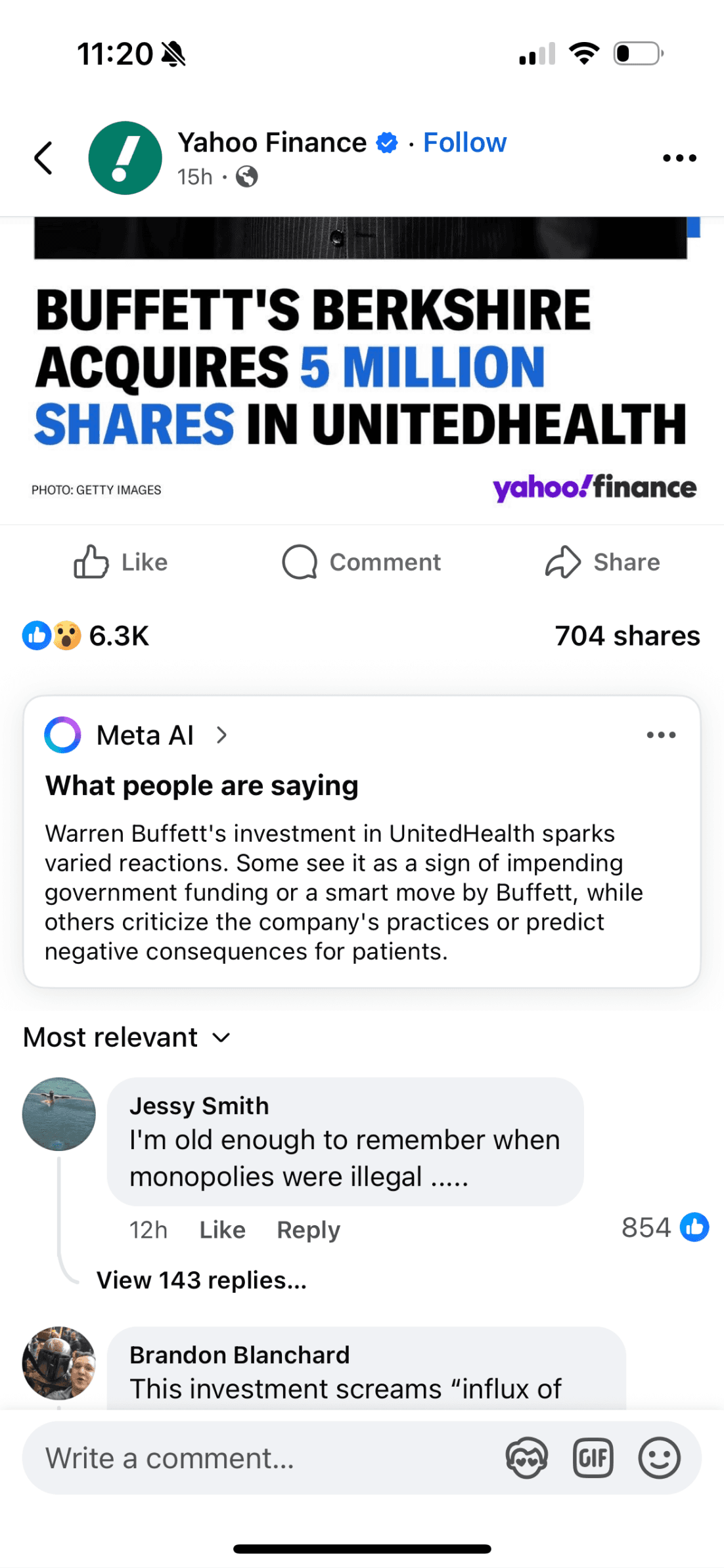
Thats how Facebook and Amazon does it today for their comments and reviews respectively
Meta summarizing comments with AI above comment section
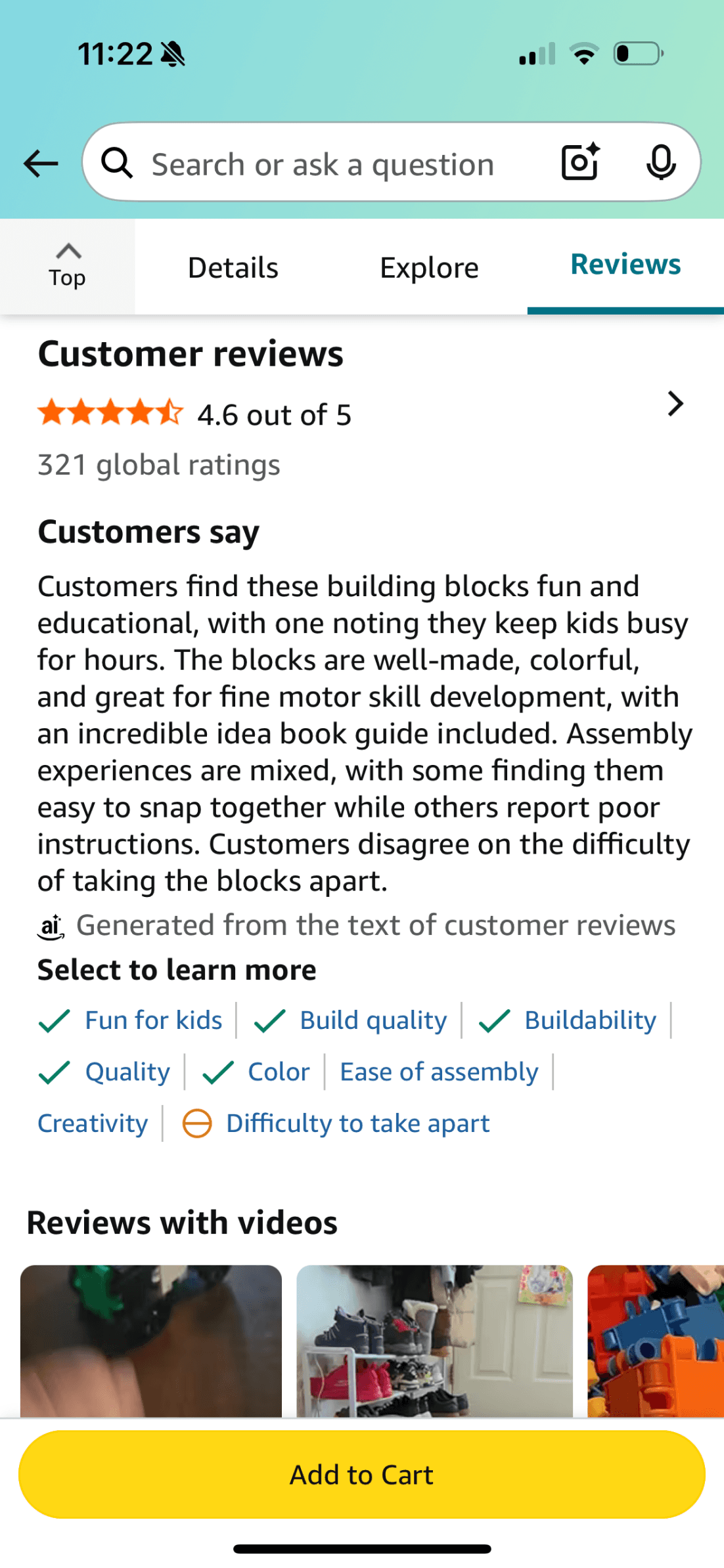
Amazon summarizing customer reviews with AI above all the reviews
But, Critical signals were buried alongside routine updates, and everything looked equally important. To make sense of it, admins had to slow down, read carefully, and already know what they were looking for.
Feedback from my mentors pushed me to rethink how information was being presented.
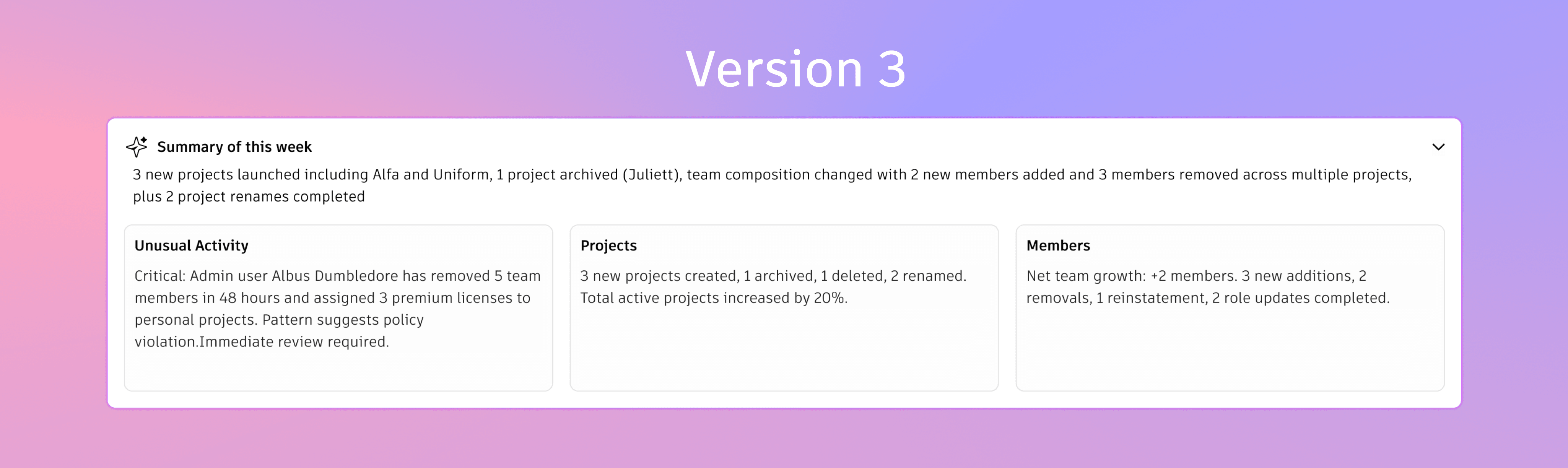
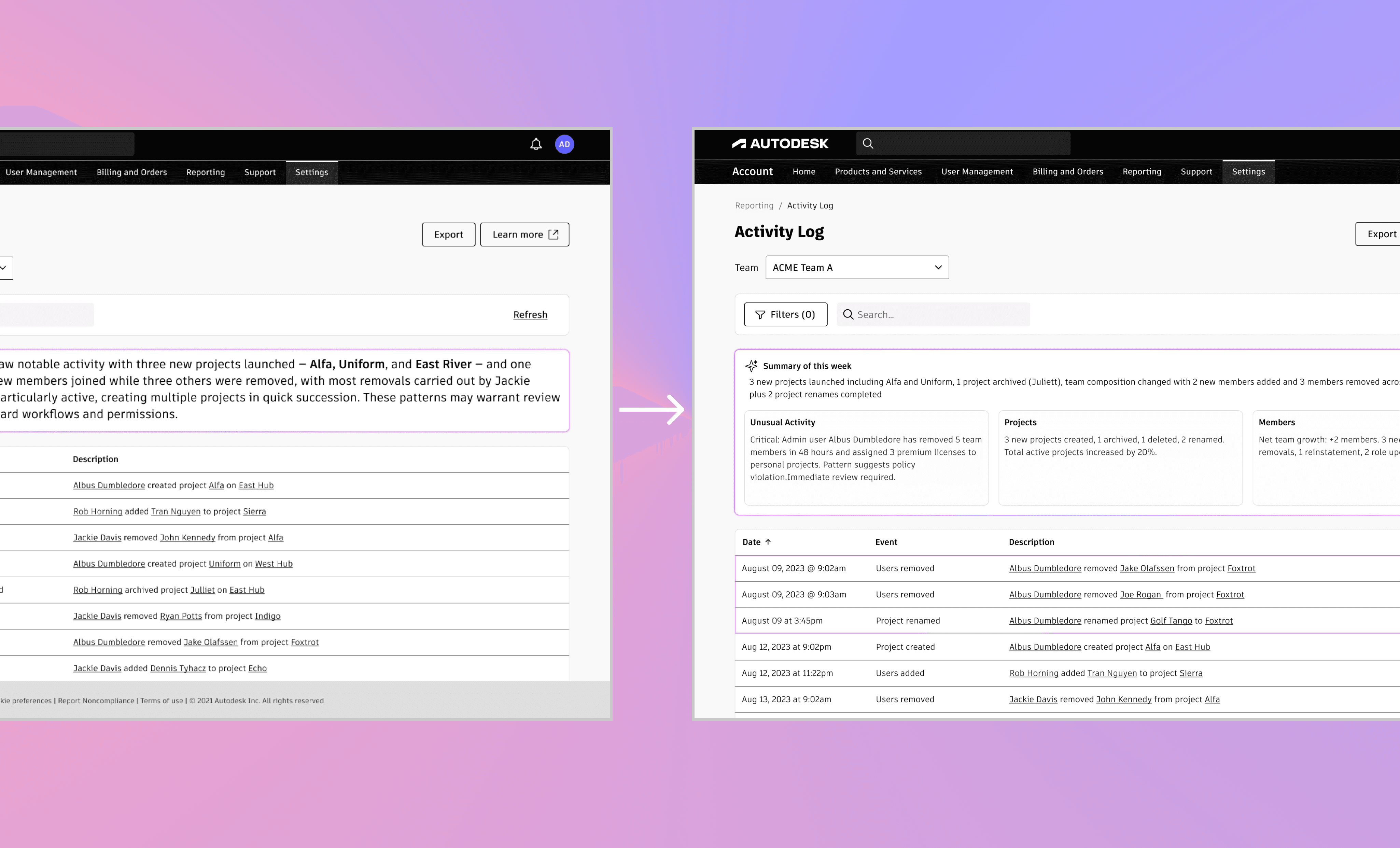
Instead of asking admins to read paragraphs, I focused on structure. Modern LLMs are naturally good at producing structured outputs like JSON, so I leaned into that strength. Rather than generating prose, the system outputs clearly defined chunks: categories, counts, and short statements that can be mapped directly to UI components.
Learnings
An insight should lead somewhere
An insight without a clear next step still adds mental effort. The moments that worked best were when the insight quietly pointed to what to do next, like viewing users, checking recent activity, or jumping straight to the relevant part of the log.
That changed how I evaluate my designs.If someone has to stop and think after reading an insight, then I have not made it clear enough yet.
Prototypes are where clarity actually emerges
Building this through Cursor helped me move quickly between ideas, test assumptions, and see how concepts behaved in a real UI. Many of the strongest decisions only became obvious once I could feel the flow, not just describe it.
This reinforced why I prototype early and often, especially when designing systems that deal with trust, risk, and accountability.
This case study focuses on the outcome and key decisions. I’m happy to walk through the full process in more detail over a conversation.